Posts

Showing posts with the label Time Space App

FOOD APPS: EATIGO

Image
It may not be a first world problem but it's a normal everyday ordeal for any office worker. Where to eat? What am I going to eat? WHO AM I GOING TO EAT WITH?* Downloaded this app as a recommend and had it tried to eat on one of their participating restaurants today: KKK (Megamall branch) Wednesday I was attempting to book for 5 people on the 12 am sched at 30% off by Friday. 1130 would have been a better choice because they offer 50% but our break is exactly 1130 and I doubt we could make it on time. I was trying for 12pm but the app refuses me to book any more than 2 people. That's when I ended up with booking for Thursday / 12pm / 30% / 4 people. When we arrived I asked if it's possible to add 1 person and were told that instead of the 30% it will be reduced to 20%. As to how the manager came up with that reduction I don't know but since this is my fault we went with it anyway. We have eaten here a few times before but somehow today the food came out real quick. I gu...
KD Collage (Andriod, Limited)

Image
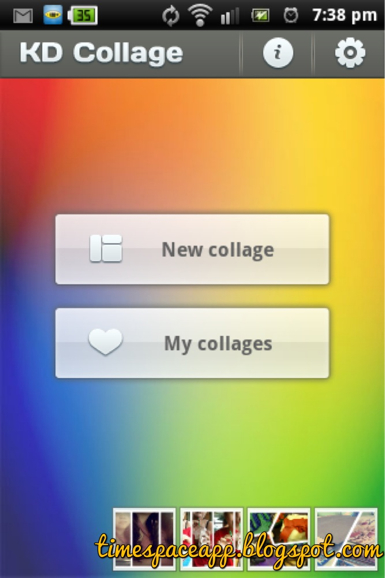
While we become more and more mobile, our need for apps is more important (in a sense, just don't put it out of context) than ever. One of my most used app is the creation of collage which I could not put off waiting to go home and make one. Interface is easy to use and have enough free templates for you to work on. It also allows you to resize and move your photos with simple finger gestures help is not even necessary. I have not yet found the same features of this app for this free in Ipad and for me, probably my most loved collage app ever. Below is a sample creation: Note: Photo was edited later on with Cymera

Cymera (Android, Free)

Image
My favorite photo app, this has absolutely everything I could ask for in a photo editing app. I love the fact that it is free, and has some features that some photo apps don't. Editing a photo I have not taken from their app is one of the reasons I enjoy using this because I can always change the effect whatever is my fancy. If however, you use this app for taking photos, it keeps the original photo + the one with that effect you have chosen beforehand, none of that in other apps. I love this feature too because I would at least have the freedom to choose the best effect later on. They also have quick frame collages which has a timer that allows you to take a sequence of photos like as if you are in a photo booth. Their beauty feature also works as a charm, I have already used it to recognize my face and slim it! Below is a good example of their filter: Note: Collage was created through KD Collage because I was secretly taking a photo of my friend in random

A+ Signature (Limited for IPad)

Image
Now that I've been using Ipad more frequently than the laptop (my mom's been using it), I need to find ways to annotate watermarks on my posts. So I thought that maybe I can find somewhere that enables me to customize ones, unlike what I've been using for ages now which is in Picasa. Initially I was just looking for an app that helps me create a watermark but what I found also features the user to actually sign! I was so amazed by this that after getting the grip on the free version, I was not able to resist buying the pro version. You can also control the opacity, save your signs for future use, change the color, width etc. If you are not comfortable with yr handwriting, you could always mix and match fonts and designs for text ready watermarks. Verdict: I love it!

Babel Rising (FREE for IPAD)

Image
It is safe to say that everyone knows what the tower of Babel is. It is also a wonderful game concept. And If you are familiar with god mode games, this is right at your alley. The objective is simple, prevent the Babylonians from building the Tower by crushing them with different spells through a series of plaques and acts of god disasters. You get to tickle them with your god finger, release a tsunami, have them consumed by locusts and tons of actions more, combining the best type of wrath you set upon the poor Babylonians. The challenges are really time consuming and brings out the best finger exercise you will not notice will work out for a long time. Once I tried playing this before sleeping and next thing I knew it is already past 12! It is amazing that this is truly free. The graphics are cute and the squeal and singing of the Babylonians are something to look forward to making me disable my gadget out of mute mode. There are also a lot of stages (as of this writing I'm at ...

Skitch (FREE IPad)

Image
If you work with a computer, chances are you have a screenshot grabber that you use to prove a point. You can attach it to email and such. As for the tablet, there is also such a thing. The interface is user friendly, you can get by without any help. I usually just do a screenshot and edit it with it. One of my recent blogs utilized this fully. It basically has the basics covered, an arrow, changeable colors, free hand drawing and shapes. Verdict: For a free app, this tool is really handy when you are on a tablet more often than a pc. It's not like as if instagram can help you point out certain areas in your photo right? 4 out of 5 stars, 5 if they update the crop option. I hope I am able to control what to crop.

Paper (FREE Ipad)

Image
There are so many sketch apps out there and this is one of the good ones. Since it's free, you might save a few dollars if all you want to do is sketch a few drawings here and there. The animation also looks cool, it's as if you actually open and close a journal while flipping over pages and moving across journals. I haven't experienced any bugs yet and it's tempting to buy a stylus just to really get into this doodling business. Verdict: good enough to do to what it's supposed to do.

Pictify (FREE Ipad)

Image
With even the most basic knowledge in Photoshop, you can simply create your own collage. Heck you can even pile it up in Picasa and you're done. What Pictify differs in the collage department is that you work with one picture and add frames in the process. It does look cool especially if you want to create a certain shape that you want and the collage would always be symmetrical with the rest. You don't need to worry much about the size of your frames since it is automaticaly made for you. All you need now is a bit of imagination on the layout of how you want the frames to look like. Here's another example: You can also manipulate the orientation of the frames according to your fancy. Sharing is also available so you can simply save it up for printing or via sns. Verdict: The fact that this is free makes it a tiny bit appealing.

KanaHD (FREE Limited) Ipad

Image
I am currently studying Japanese and one of the things I have on both my phone and tablet are Japanese learning tools. I can't find the one I've been using in my Android so I looked for an alternative. Strokes are really important to learn so you might have to review how it is done. KanaHD offers a simple easy to follow stroke animations per character that will aid you in learning Kana the correct way. They have also included a space for you to practice. It is semi-free so without any purchase you can only have access to the lerning part but not the quizzes, which is extremely important. You will eventually have to test yourself so you will end up buying if you want to stay on learning through this app. There are so many ways to customize the exam so you can master it on no time. Verdict: Graphics are well made and everything you need is already present. It may not be better than the one I have on my Android, but this is better than most Kana apps out there.

CraftStudio (FREE Limited) Ipad

Image
So i was pushing my luck on AppStore the other day and found out about this nifty app that made me almost drool. One of my hobbies is scrapbooking and I miss it so bad. I don't have much time lately so this app is a sort of release of my frustrations. For a free (limited time so I am absolutely lucky) app, this is not cheaply made. I've tried s few free apps out there but man, this is leagues ahead compared to them. All tools are on the left, where the basics, are already laid out. Stickers, stamps, text, paper and different cuts. There are 4 themes free to use which is already a good start if you are being scrimpy. With that alone, you can mix and match different styles across themes it is impossible not to be hooked. What's more, all cuts are perfectly made and no sticky glitters on fingers! More themes are available for purchase which is way cheaper than getting all the stuff there in real life. It does, however feel like cheating in a way since a...

ChinaTaxi FREE (Ipad)

Image
A simple game where the objective is to navigate two men carrying a Chinese carriage. You collect coins and a minimum number of passengers per level while avoiding pits, bulls and bricks. Pretty straightforward and receptive at the same time. I totally suck at these type of games but since I was able to achieve 3 levels in less than 5 minutes means it is totally easy for the coordinated folk. Cute graphics too. I also love how the characters grow bloody when hitting bricks teehee Verdict: Good enough while waiting for your food to come.

DraftCraft (FREE) Ipad

Image
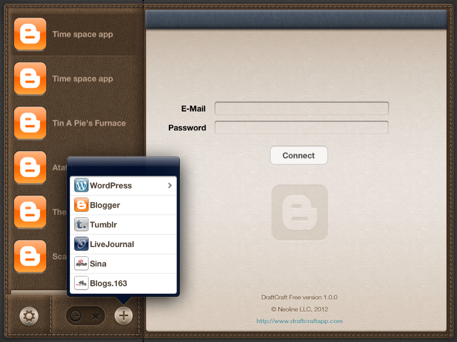
The lack of a free official Blogger app in the Ipad platform is saddening so stumbling on the free version of DraftCraft is a relief to me. There are just a few of them out there but I sticked on to this one because of it's simplicity. The three most popular blogs are available to link so you can switch on multiple sites at a time. Not only that, once you connect your account it will automatically capture all the blogs affiliated to that account. It is though, not 100% free since some features will be locked once you achieve 10 posts. This incudes picture resizing and removal of DraftCraft footer, etc. It only costs $0.99 so I may eventually end up buying it (just for the image resizing), unless of course you can fix that up on the actual blogger site. Verdict: simple, does what it has to do, and free from pesky ads. Love it!